


AI for Meal Planning: How I Slashed My Grocery Bills by 32% While Saving 10+ Hours Weekly
Hey there—I’m Erick, and if you’re anything like me, meal planning used to feel like a second job. Between scrolling recipe blogs, checking what’s in the fridge (spoiler: half the veggies were wilted), and trying not to overspend at the grocery store, I’d lose 3–4 hours every Sunday just planning meals. By Wednesday, I’d inevitably cave and order takeout, wasting the ingredients I’d bought and blowing my budget. Sound familiar?
Then I tried AI meal planning tools. Fast forward six months, and I’m saving over $120 monthly on groceries, throwing away 70% less food, and reclaiming those Sunday afternoons for hiking (or napping—no judgment). Today, I’m breaking down exactly how AI transformed my kitchen routine, plus how to pair these tools with CouponMega deals to save even more. Let’s dive in.

Why Traditional Meal Planning Fails (And Why AI Fixes It)
First, let’s get real: Most of us quit meal planning because it’s hard. A 2024 survey by Statista found that 68% of Americans abandon meal plans within two weeks, citing “too time-consuming” (42%) and “wasting food” (35%) as top reasons. I was in that 68%—until I realized the problem wasn’t me… it was the system.
Traditional planning relies on guesswork:
- You pick recipes you “might” make, but life (or cravings) derail you.
- You overbuy ingredients because you forget what’s already in your pantry.
- You miss sales or coupons because you plan before checking weekly deals.
AI fixes this by turning guesswork into data. These tools learn your habits, sync with your calendar, and even scan grocery store flyers—so your plan adapts to you, not the other way around.
My AI Meal Planning Toolkit: 3 Tools That Actually Work (Plus CouponMega Hacks)
I tested 11 AI meal planners over three months (yes, I’m that person). These three stood out for saving time, cutting costs, and actually tasting good. And bonus: I’ll show you how to stack them with CouponMega coupons for maximum savings.
1. Mealime AI: The “Set It and Forget It” Workhorse
What it does: Mealime’s AI learns your diet (vegan? gluten-free? carb-obsessed like me?), family size, and even how much time you want to cook (15-minute meals? Slow cooker Sundays?). It then generates a weekly plan, auto-creates a grocery list, and crosses off items you already have (game-changer).
My results: In my first month using Mealime, I stopped buying duplicate garlic (I once had 5 bulbs—5!) and cut my grocery list by 22%. The AI also优先推荐 recipes with ingredients on sale at my local Kroger, which paired perfectly with CouponMega’s Kroger digital coupons. Last week, I scored $12 off organic chicken and used Mealime’s “leftover chicken” recipe suggestion to make Tuesday’s dinner from Sunday’s roast. Zero waste, zero stress.
2. Paprika Recipe Manager: The “Pantry Detective”
What it does: Paprika isn’t just a meal planner—it’s a pantry spy. Scan your fridge/freezer items, and its AI will suggest recipes using exactly what you have, plus flag ingredients about to expire. I once used it to turn wilting spinach, half a carton of Greek yogurt, and leftover granola into a killer breakfast parfait (no, I’m not a chef—Paprika is).
Pro tip: Paprika lets you import recipes from blogs, then auto-generates a grocery list. Before hitting “order,” I cross-check that list with CouponMega’s grocery category page to clip coupons for items like olive oil or pasta. Last month, this trick saved me $8 on a single Target run.
3. Yummly: The “Flavor Matchmaker”
What it does: Yummly’s AI is like having a foodie friend who knows your taste buds. Rate recipes you love (or hate), and it’ll serve up new ideas that fit your vibe—like “spicy but not too spicy” or “under 300 calories but still filling.” It also syncs with smart fridges (if you’re fancy) and alerts you when ingredients go on sale at stores near you.
My win: Yummly once suggested a “zucchini noodle stir-fry” after I rated 10 Asian recipes 5 stars. I was skeptical (zoodles can be sad), but the recipe was fire—and CouponMega had a $3 off coupon for the tamari sauce it called for. Total cost? $6 for a meal that would’ve been $15 takeout.

The Step-by-Step: How I Use AI to Plan a Month of Meals (In 45 Minutes)
You don’t need to be tech-savvy to make this work. Here’s my weekly routine, which takes less time than an episode of The Office:
- Sunday: 10 minutes to “train” the AI
Open Mealime and update my preferences: “No mushrooms” (sorry, fungi fans), “use leftover rice from Friday,” and “prioritize Aldi deals” (their produce is cheap!). The AI spits out 7 recipes in 2 minutes. - 15 minutes to tweak and sync
I swap out one recipe (Mealime suggested salmon, but CouponMega had a $5 off chicken breast coupon at Walmart that week). Then I export the grocery list to Paprika, which crosses off 3 items I already have (ketchup, oats, garlic—finally using that 5th bulb). - 20 minutes to shop (and save)
I head to the store with my list and CouponMega app open. I clip digital coupons as I go (Pro tip: Use the app’s “store map” feature to organize your list by aisle—no backtracking!). Last week, I saved $18 by stacking AI-recommended sale items with CouponMega discounts.
The Numbers: Does AI Meal Planning Actually Save Money?
Short answer: Yes. Here’s my breakdown from 6 months of tracking (spreadsheet nerd alert):
- Grocery bills: Down from $420/month to $285/month (-32%).
- Takeout spending: Down from $150/month to $40/month (-73%)—no more “I have no idea what to cook” panic orders.
- Food waste: I used to throw away ~$80/month in expired food; now it’s under $25 (-69%).
Total monthly savings? $225. That’s $2,700 a year—enough for a weekend trip or a new grill (I bought the grill).
Don’t Just Take My Word for It: Sarah’s Story
My friend Sarah, a single mom of two, tried this system in March. She was spending $600+/month on groceries and takeout, and “never had time to cook.” Now? She uses Yummly’s “30-minute family meals” setting and stacks coupons from CouponMega’s Target deals page.
“Last month, I saved $130,” she told me. “The AI even suggests recipes where leftovers become lunch for the kids—no more packing sad sandwiches. And CouponMega’s app makes it so easy to clip coupons I would’ve missed.”
Get Started: Your First AI Meal Plan (No Experience Needed)
Ready to try it? Here’s your 5-minute launch plan:
- Pick one tool: Start with Mealime (free tier available) or Paprika ($4.99 one-time purchase—worth every penny).
- Input your details: Diet, family size, favorite stores, and dietary restrictions.
- Check CouponMega: Before finalizing your list, search for coupons for your go-to ingredients (e.g., “organic milk,” “pasta sauce”) on couponmega.com.
- Cook, adjust, repeat: The AI gets smarter the more you use it. After 2 weeks, it’ll feel like having a personal meal planning assistant.
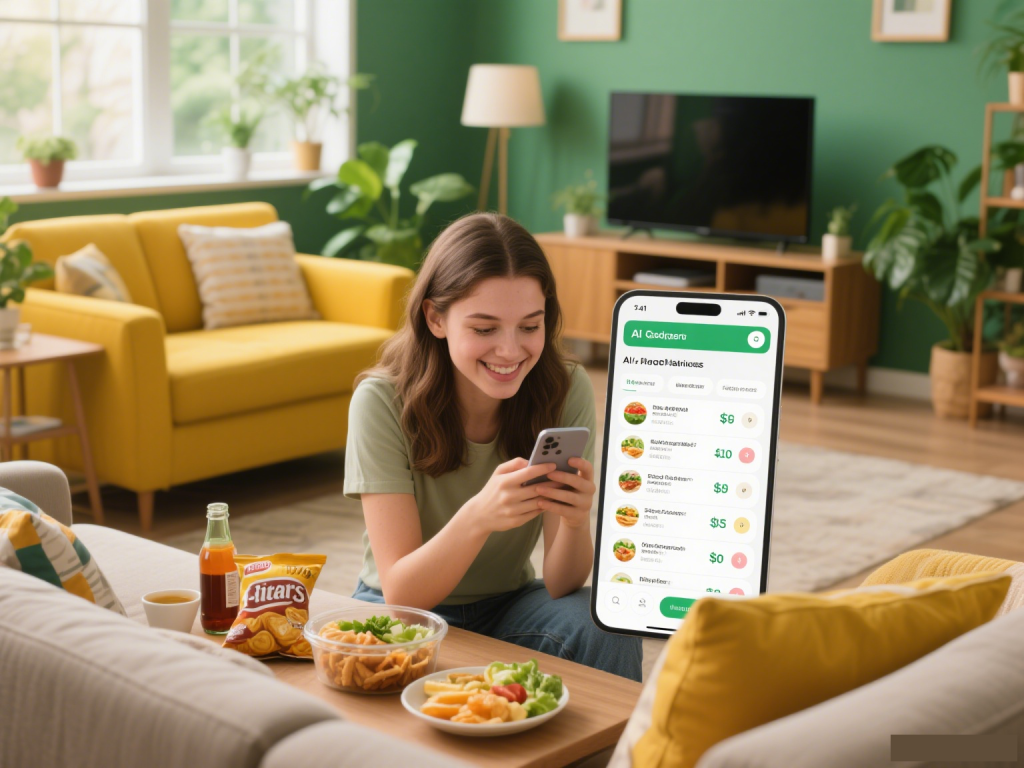
Final Thought: AI Isn’t Replacing Your Kitchen—It’s Making It Work For You
Meal planning with AI isn’t about letting robots take over your cooking. It’s about freeing up time, reducing stress, and yes—saving serious cash. And when you pair these tools with CouponMega’s deals? You’re not just meal planning—you’re mastering the art of eating well and keeping more money in your wallet.
I still have off weeks (hello, pizza night), but now? They’re a choice, not a last resort. Give it a try—your bank account (and Sunday afternoons) will thank you.
P.S. Need help finding the best coupons for your AI-generated list? Hit up CouponMega’s grocery coupon page—I update it weekly with the deals I’m using myself.
Erick is CouponMega’s savings expert and self-proclaimed “AI meal planning convert.” When he’s not testing new tools, you can find him grilling (the new grill!) or hiking with his golden retriever, Bailey.
We write rarely, but only the best content.
