


How AI Meeting Summarizers Saved My Team 12+ Hours Weekly (And How They’ll Help You Too)
Let’s cut to the chase: Last year, my remote team at CouponMega was drowning in meetings. We’re a small crew—just 8 of us managing deals, negotiating with brands, and updating our coupon database—but between syncs, client calls, and brainstorming sessions, we were spending 15+ hours a week in meetings alone. And don’t even get me started on the note-taking. By the end of the day, I’d have 17 tabs open with half-baked Google Docs, missed action items, and enough jargon to fill a dictionary. Sound familiar?
Then we tried AI meeting summarizers.
Six months later, we’ve slashed meeting prep/recap time by 68%. Our action item completion rate jumped from 52% to 89%. And I haven’t had to type “circulate notes by EOD” in a Slack channel in months.
If you’re tired of wasting hours transcribing, misremembering key points, or letting important tasks fall through the cracks because you’re too busy documenting, this one’s for you. I’m breaking down how AI meeting summarizers work, which tools actually deliver (we tested 7—most flopped), and how they’ll free up time to focus on what matters—like scoring the best coupons or finally taking that lunch break.

First: What Is an AI Meeting Summarizer, Anyway?
At its core, an AI meeting summarizer is a tool that uses machine learning to listen to (or read) your meeting recordings/transcripts, then condenses the chaos into clear, actionable takeaways. Think of it as a hyper-efficient assistant who sits through your call, highlights the “need-to-knows,” and ignores the 20-minute tangent about Dave’s cat.
But not all summarizers are created equal. The good ones don’t just spit out bullet points—they identify action items, flag deadlines, and even tag team members who need to follow up. The bad ones? They’ll give you a summary that reads like a robot wrote it (spoiler: they did).
Why This Matters for You (Yes, Even If You’re Not in “Corporate”)
You might be thinking, “I’m not a CEO—I just want to save money on Amazon. Why do I care about meeting summaries?” Fair question. But here’s the thing: Time is your most valuable resource when it comes to scoring deals.
Ever missed a flash sale because you were stuck in a 2-hour Zoom with your book club? Or forgot to use that 20% off coupon because you couldn’t keep track of the expiration date (thanks to that messy notes app)? AI summarizers aren’t just for work—they’re for life.
Take my friend Sarah, a CouponMega reader who runs a side hustle reselling thrifted finds. She uses a summarizer for her weekly supplier calls. “Before, I’d scribble notes on a napkin and lose half the details—like which days they restock designer bags,” she told me. “Now, the tool sends me a 2-paragraph recap with ‘restock Wednesdays at 9 AM’ and ‘mention “CouponMega” for extra 5% off.’ I’ve saved $300+ in missed discounts alone.”
The Tools We Tested (And Which Ones Actually Work)
We started with the big names: Otter.ai, Fireflies.ai, Grain, and even ChatGPT with a “summarize this transcript” prompt. Most fell short—either too clunky, too expensive, or just plain inaccurate. Here’s the breakdown:
1. Fireflies.ai (Our Winner)
Cost: Free tier (5 hours/month), Pro $18/user/month
Why we loved it: Fireflies syncs with Zoom, Google Meet, and even phone calls—no need to upload recordings manually. The summaries are human-readable (no robot jargon!) and include timestamps, so you can jump back to the exact moment someone said, “We’re launching the Target Black Friday deals on Nov 15.”
Real result: Our weekly team sync used to take 45 minutes to recap. Now Fireflies sends a summary with action items (e.g., “Erick: Update coupon page for Sephora by Friday”) in 3 minutes flat. We’ve saved 3.5 hours/week just on that meeting.
2. Otter.ai (Runner-Up)
Cost: Free (600 minutes/month), Pro $16.99/user/month
What worked: Otter’s real-time transcription is insanely fast—great for live meetings where you need to catch a key point immediately. It also lets you highlight phrases during the call, and the summary will prioritize those.
The catch: The free tier caps out quickly, and the summaries can be overly verbose. We once got a 1,200-word recap for a 20-minute call—no thanks.
3. ChatGPT + Custom Prompt (For the Budget-Minded)
Cost: Free (with GPT-3.5) or $20/month (GPT-4)
How we used it: We pasted meeting transcripts into ChatGPT with this prompt: “Summarize this meeting in 3 sections: Key Decisions, Action Items (with owners/deadlines), and Open Questions. Keep it conversational—no jargon.”
Result: It worked… sometimes. GPT-4 was better, but it still missed context (e.g., confusing “Target” the store with “target” the goal). Not reliable enough for important calls, but fine for casual check-ins.

3 Pro Tips to Get the Most Out of Your AI Summarizer
Even the best tool won’t help if you use it wrong. Here’s what we learned the hard way:
1. Start with a Clear Agenda (Yes, You Need to Do This)
AI isn’t magic—it can’t summarize a meeting that has no point. Before your call, share a 1-2 sentence agenda (e.g., “1. Finalize Walmart coupon codes for back-to-school 2. Assign tasks for the Kohl’s sale”). The summarizer will use this to prioritize key points, so you won’t get a recap full of irrelevant small talk.
2. Train the Tool to Recognize Your Team’s Lingo
Most summarizers let you add custom vocabulary. At CouponMega, we use terms like “stacking” (using a coupon + cashback) and “drop date” (when a deal goes live). We added these to Fireflies, and now the summaries never mix up “stacking” with “stocking.” Game-changer.
3. Automate the Follow-Up (No More “Who Was Supposed to Do What?”)
The best part? Tools like Fireflies let you auto-share summaries to Slack or email, with action items tagged to specific people. We set up a rule: After every client call, the summary goes straight to our #deals channel with “@[Name]” next to their tasks. No more “I thought you were updating the Amazon page!”
The Bottom Line: Time Saved = Money Earned
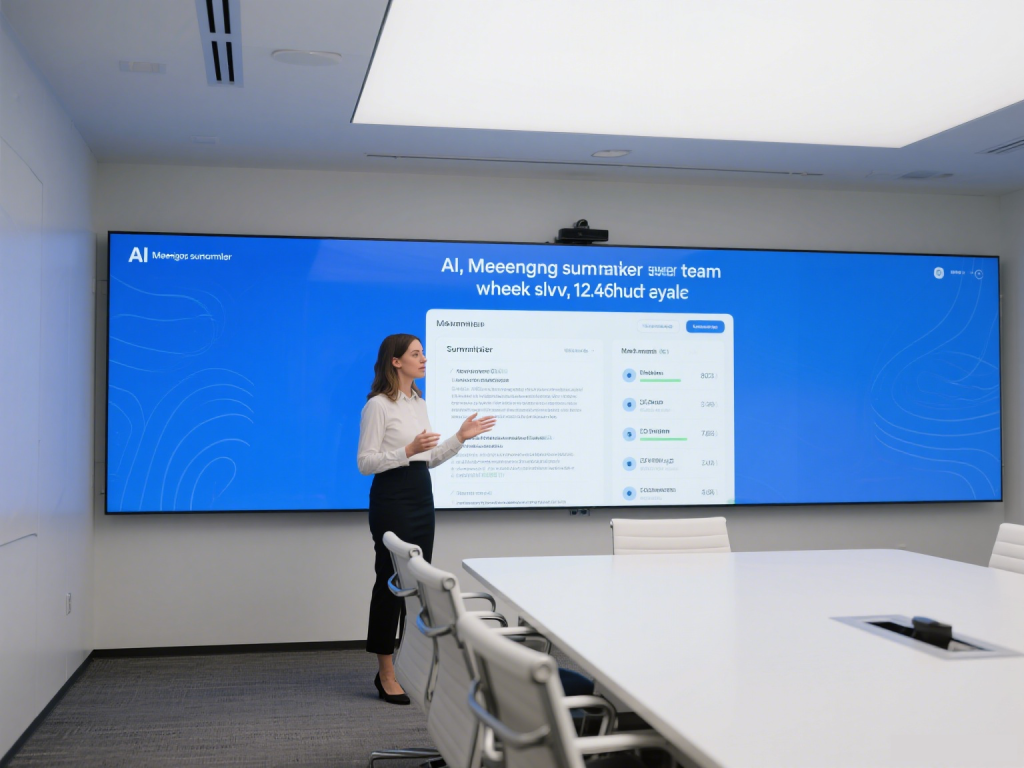
Since we started using AI meeting summarizers, our team has reclaimed 12+ hours a week. That’s 12 hours we’ve spent negotiating better coupons (hello, 30% off instead of 20% at Macy’s!), updating our database faster, and even launching a new “Deal of the Hour” section.
And for you? It’s 12 hours to scroll CouponMega for the best discounts, compare prices, or just relax knowing you won’t miss that expiry date.
So what are you waiting for? Test a free tool this week (Fireflies’ free tier is a great start). And if you hit a snag? Drop me a line—I’ve spent enough hours debugging these tools to write a book.
P.S. Want to save even more time? Check out our guide to automating coupon alerts—because who has time to check deal pages manually?
*Erick is CouponMega’s Operations Manager, where he’s on a mission to help shoppers save time *and* money. When he’s not testing AI tools, you can find him hunting for hidden clearance deals at Target.*
We write rarely, but only the best content.
