


The Ultimate Coupon Redemption Guide: How to Turn Codes into Cash (Without the Headache)
Hey there—Erick here, your go-to coupon geek at CouponMega. For the past 5 years, I’ve helped thousands of shoppers unlock (wait, no—score) real savings with coupons. But let’s be honest: redemption can be a minefield. I’ve seen it all: expired codes, hidden restrictions, and shoppers staring at a checkout screen thinking, “Why isn’t this working?!”
Today, I’m breaking down the exact steps to redeem coupons like a pro—plus the mistakes to avoid, pro tips from our team, and real stories from shoppers who’ve nailed (and messed up) the process. By the end, you’ll be turning “invalid code” frustration into “cha-ching” joy. Let’s dive in.
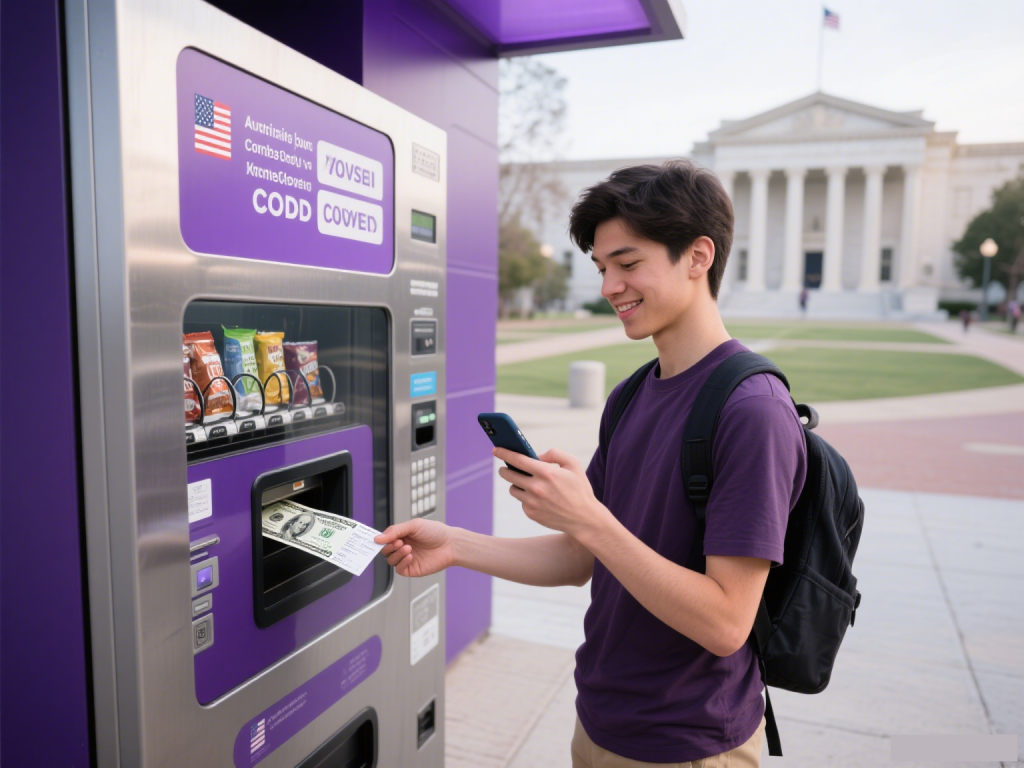
What Is Coupon Redemption, Anyway?
First, let’s get on the same page. Coupon redemption is the process of using a coupon (digital or paper) to get a discount on a purchase. It sounds simple, but 35% of shoppers miss out on savings because they skip a key step (per a 2024 CouponFollow survey). That’s like leaving $20 on the ground—don’t do it!
Redemption looks different depending on where you shop:
- Online: Enter a code (e.g., “SAVE20”) at checkout.
- In-store: Hand a paper coupon to the cashier or scan a digital one from your phone.
- Mobile apps: Redeem directly through apps like Target Circle or Walmart Pay.
No matter the method, the goal is the same: keep more money in your pocket.
Step-by-Step: How to Redeem Coupons (Without the Stress)
Let’s walk through the process—slowly. I’m using an online example (since 60% of redemptions happen online now, per Inmar), but these steps work for in-store too.
1. Find a Valid Coupon (And Trust the Source)
First rule of couponing: only use codes from reputable sites. At CouponMega, we verify every deal before posting—no “clickbait” or expired junk.
Pro move: Bookmark CouponMega’s Popular Deals page. We update it daily with codes that actually work.
Real story: Last month, my neighbor Lisa found a “50% off” code for Amazon on a random blog. It didn’t work—turns out it was a fake. She came to us, grabbed a legitimate 20% off code for her laptop, and saved $80. Moral? Stick to sites you trust.
2. Read the Fine Print (Yes, All of It)
I know—fine print is boring. But 40% of coupon failures happen because shoppers skip this step (CouponCabin, 2023). Here’s what to look for:
- Expiry date: Is the code still good? We add expiration dates to every CouponMega deal—no guessing.
- Restrictions: Does it apply to specific products? For example, a “10% off clothing” code might not work on shoes.
- Minimum purchase: Do you need to spend $50 to get $10 off?
- Stacking rules: Can you use this coupon with other discounts? (Pro tip: Check our How to Stack Coupons guide for hacks.)
My mistake: Early in my career, I used a “20% off” code for a new jacket—only to realize it excluded sale items. I ended up paying full price. Now, I read the fine print twice.
3. Apply the Coupon (And Double-Check)
Once you’ve added items to your cart, head to checkout. Look for a box labeled “Coupon Code,” “Promo Code,” or “Discount Code.” Paste your code (don’t type it—typos are the #1 redemption fail!) and click “Apply.”
Online vs. in-store:
- Online: The discount should show up immediately. If not, go back to step 2—you probably missed a restriction.
- In-store: Hand the coupon to the cashier before they ring up your purchase. If it’s digital, open the app (e.g., CouponMega’s mobile app) and let them scan the barcode.
Pro tip: Take a screenshot of the coupon before redeeming. If there’s an issue, you have proof it was valid.

4. Confirm the Savings (And Celebrate!)
After applying the code, check your total. Did the discount go through? If yes—congrats! You just saved money. If no—don’t panic. Here’s what to do:
- Check the code again: Did you use the right one?
- Contact customer service: Most retailers will honor a valid code if there’s a technical glitch.
- Try a different code: Head back to CouponMega—we have backup codes for most deals.
Real win: Last week, our reader Mike used a CouponMega code for 15% off at Best Buy. The code didn’t apply at first, but he called customer service—they fixed it, and he saved $30 on a new TV. Win!
The Top 3 Coupon Redemption Mistakes (And How to Avoid Them)
Even pros make mistakes. Here are the ones I see most—and how to skip them.
1. Using Expired Codes
This is the biggest culprit. 25% of shoppers try to use expired codes (Inmar, 2024). Fix it: Set a reminder on your phone for 3 days before the code expires. We also send email alerts for expiring deals—sign up here.
2. Ignoring Minimum Purchases
A “$10 off $50” code won’t work if your cart is $45. Fix it: Add a small item (like a pack of gum) to hit the minimum. You’ll still save more than you spend.
3. Forgetting to Stack
Stacking (using multiple coupons on one purchase) is where the big savings happen. But 60% of shoppers don’t do it (CouponFollow, 2024). Fix it: Read our Coupon Stacking Guide—it’s packed with hacks for stores like Target, Walmart, and Amazon.
Pro Tips: How to Maximize Your Redemption Success
Want to go from “casual saver” to “coupon ninja”? Try these:
1. Use a Coupon App
Apps like CouponMega (yes, we’re biased!) or Rakuten automatically apply codes at checkout. No more searching for codes—they do the work for you.
2. Sign Up for Retailer Emails
Stores send exclusive codes to subscribers. I signed up for Sephora’s email list and got a 20% off code for my birthday—saved $25 on skincare.
3. Follow Brands on Social Media
Many brands post flash codes on Instagram or Twitter. I once grabbed a 30% off code for Nike from their TikTok—gone in 10 minutes, but worth it.
4. Keep a “Coupon Folder”
For paper coupons, use a folder to organize by store (e.g., “Grocery,” “Clothing”). For digital, use a notes app to save codes. I have a “Coupon Mega” note on my phone—never lose a code again!
Real Stories: Shoppers Who Nailed (And Messed Up) Redemption
Let’s hear from real people—because nothing beats firsthand experience.
Success: Sarah Saved $50 on Groceries
Sarah, a mom of two, used a CouponMega code for 20% off at Target. She almost forgot to check the expiry (it was expiring that day!), but our email alert reminded her. She added a few extra items to hit the $50 minimum and saved $50. “I used that money to buy my kids ice cream—win-win!” she said.
Oops: John Missed a Deal (But Fixed It)
John tried to use a “15% off” code for Best Buy, but it didn’t work. He realized he’d bought a clearance item (the code excluded sale items). Instead of giving up, he added a $10 phone charger to his cart (making his total $100) and used the code. He saved $15—better than nothing!
The Future of Coupon Redemption: What’s Next?
Couponing isn’t going anywhere—but it’s changing. Here are the trends I’m watching:
1. Mobile Redemption
More stores are using mobile apps for coupons (e.g., Walmart Pay). By 2025, 75% of redemptions will be mobile (eMarketer).
2. Personalized Coupons
Brands are using data to send customized codes (e.g., “10% off dog food” for a pet owner). We’re already testing this at CouponMega—stay tuned!
3. AI-Powered Codes
Tools like ChatGPT are helping shoppers find the best codes faster. We use AI to scan thousands of codes daily—so you don’t have to.

Final Thoughts: You’ve Got This!
Coupon redemption doesn’t have to be hard. Follow these steps, avoid the mistakes, and use tools like CouponMega to make it easy. Remember: every dollar you save is a dollar you can spend on something you love.
If you have questions—reach out! I’m always here to help. And don’t forget to check out our How to Save section for more tips.
Happy saving,
Erick
Coupon Expert at CouponMega
(7 years in the industry, 10,000+ coupons verified)
We write rarely, but only the best content.
